Your Obsidian vault,
inside Word
Note Bridge connects your Word documents and Obsidian vaults, allowing you to highlight text in Word and reference back to your Obsidian notes without ever leaving your document.
Get Note Bridge
Note Bridge connects your Word documents and Obsidian vaults, allowing you to highlight text in Word and reference back to your Obsidian notes without ever leaving your document.
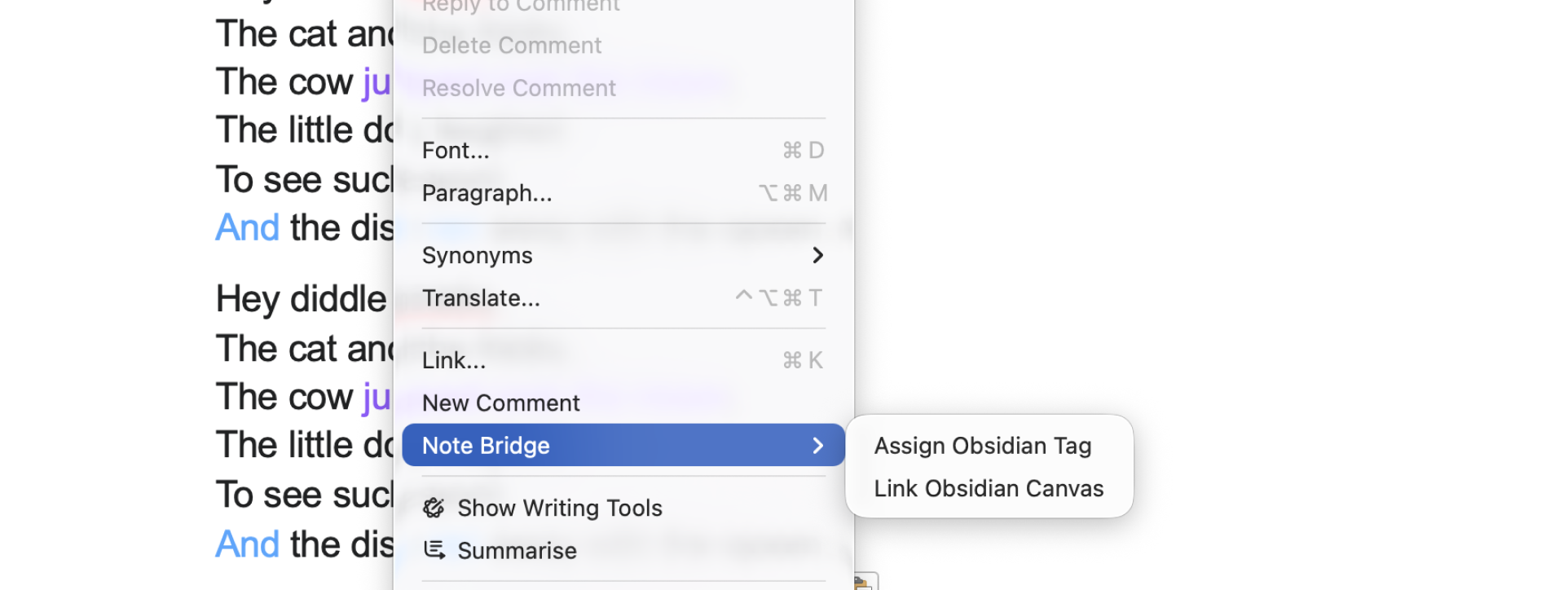
Get Note BridgeRight-click any highlighted text to assign tags from your Obsidian vault. Your tag taxonomy becomes a living layer on top of your documents.
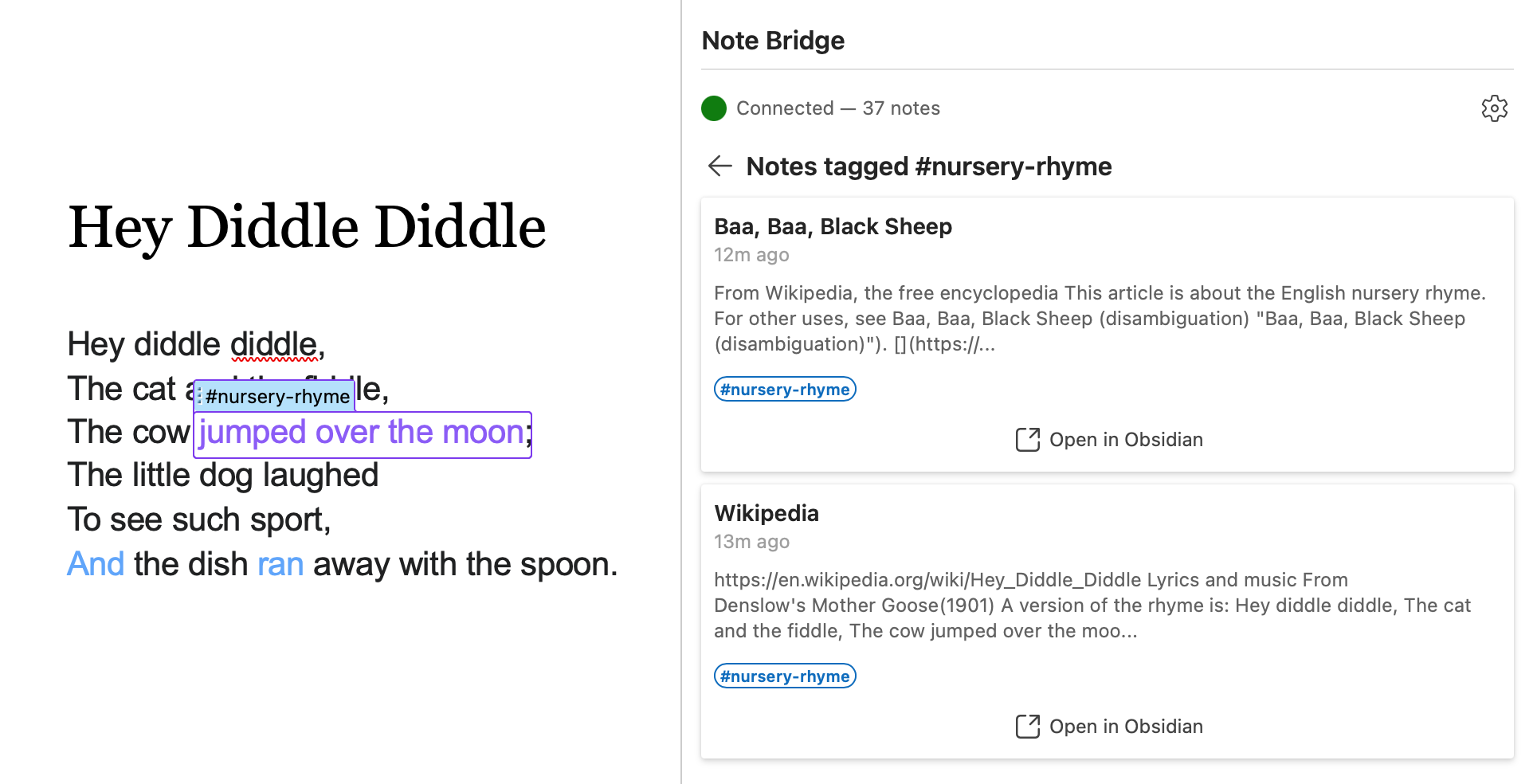
Preview your Obsidian notes in a side panel. Stay in flow while referencing your research — no app switching needed.
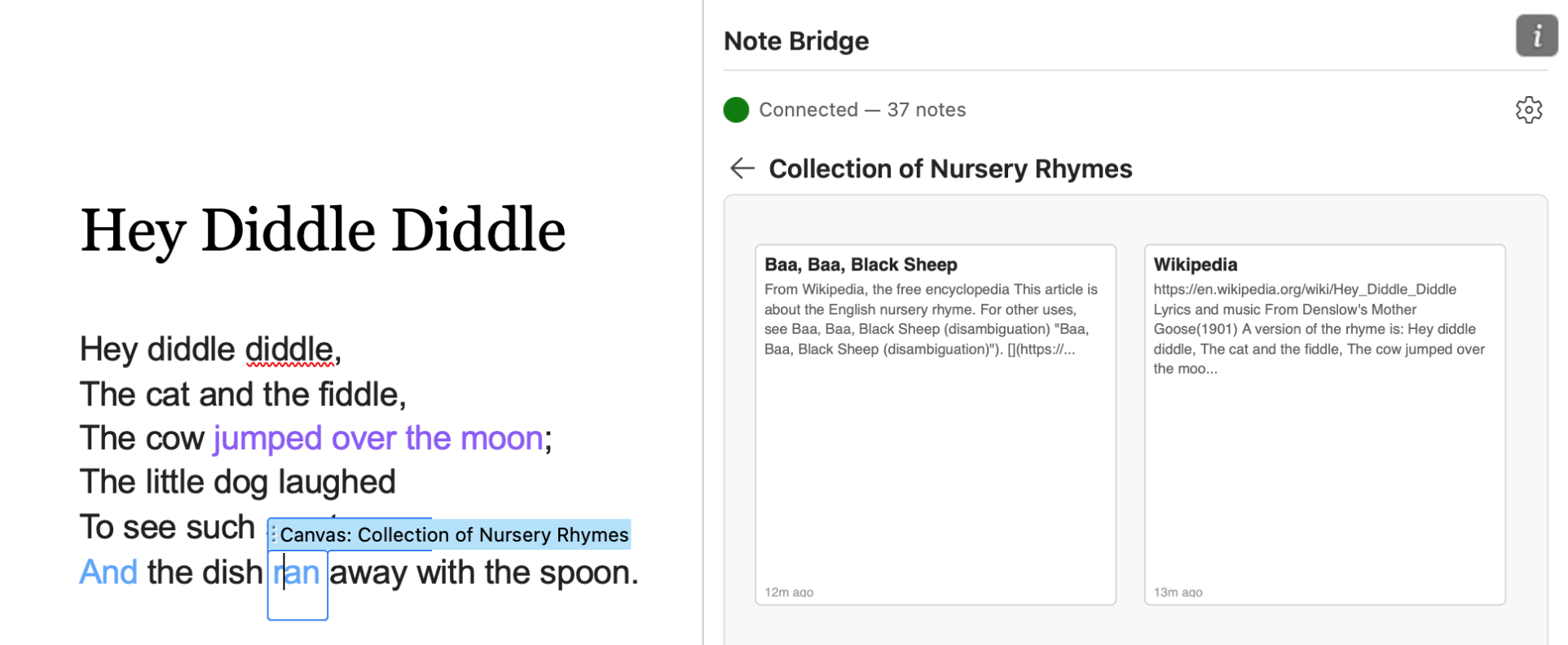
Link text to Obsidian canvas files and explore them visually. Visual thinking meets structured writing.
Download the free Note Bridge app. It runs quietly in your menu bar and indexes your Obsidian vault.
Find Note Bridge on the Home tab in Microsoft Word. The task pane connects to your local vault automatically.
Highlight text, assign tags, and browse your notes. Everything stays in sync with your vault.
Bridge the gap between writing and research.
Get Note Bridge